

Set up your brand kit
Save colors, fonts and a logo for your next carousels.
Create or import a kit
- Open Brand Kits from the sidebar. Choose Import Website, Import PDF or Create from scratch. Brand kits require a paid plan.
- Review the colors, heading font, body font and logo. Name the kit and save it.
- To reuse an existing carousel’s design, open its Export menu and choose Save as Brand Kit.
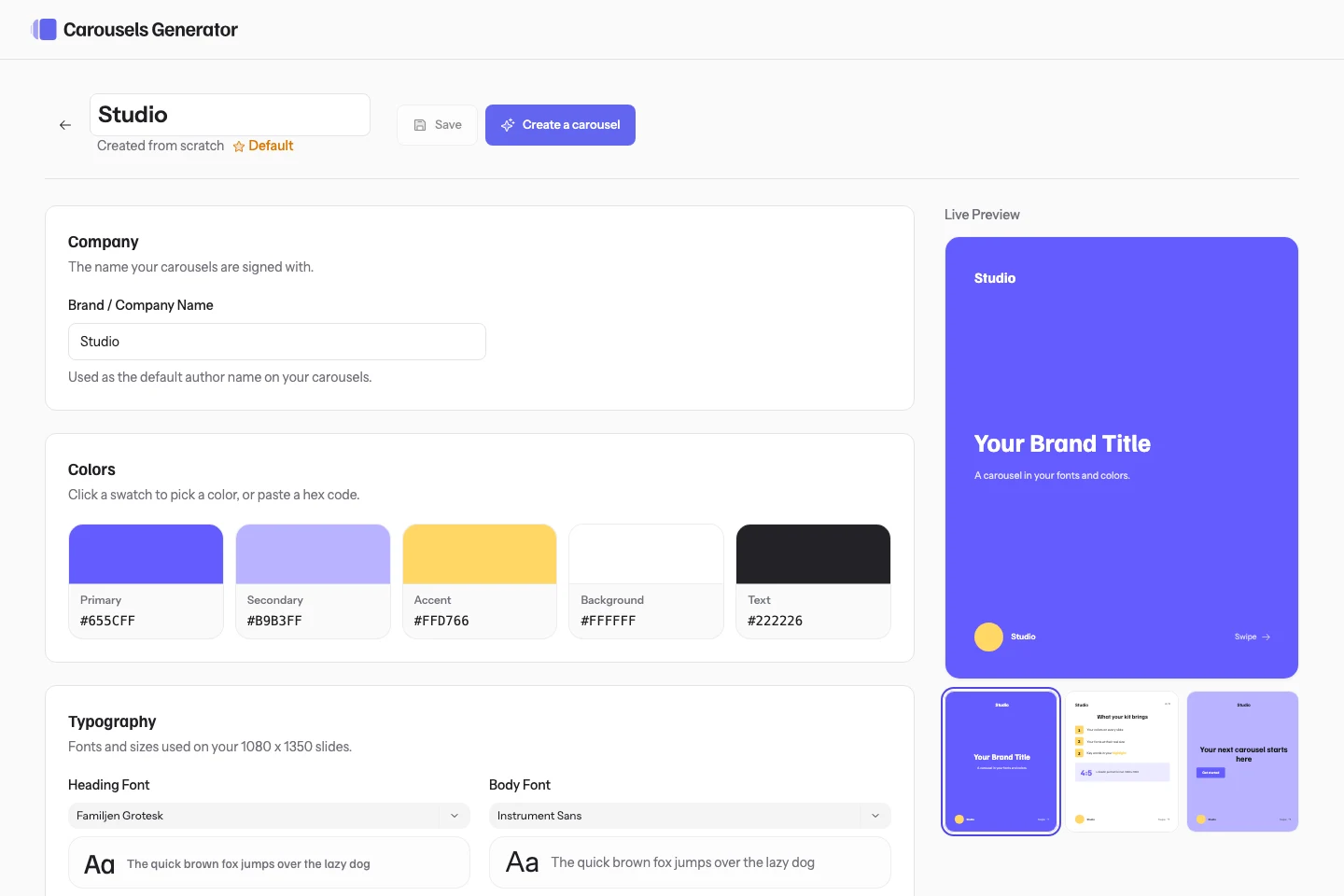
Use it in a new carousel
Click Use on a kit or select it in the creation form. Set as default preselects it for future work in the organization. You can choose another kit for an individual carousel.