Free AI tool
Instagram Carousel Generator
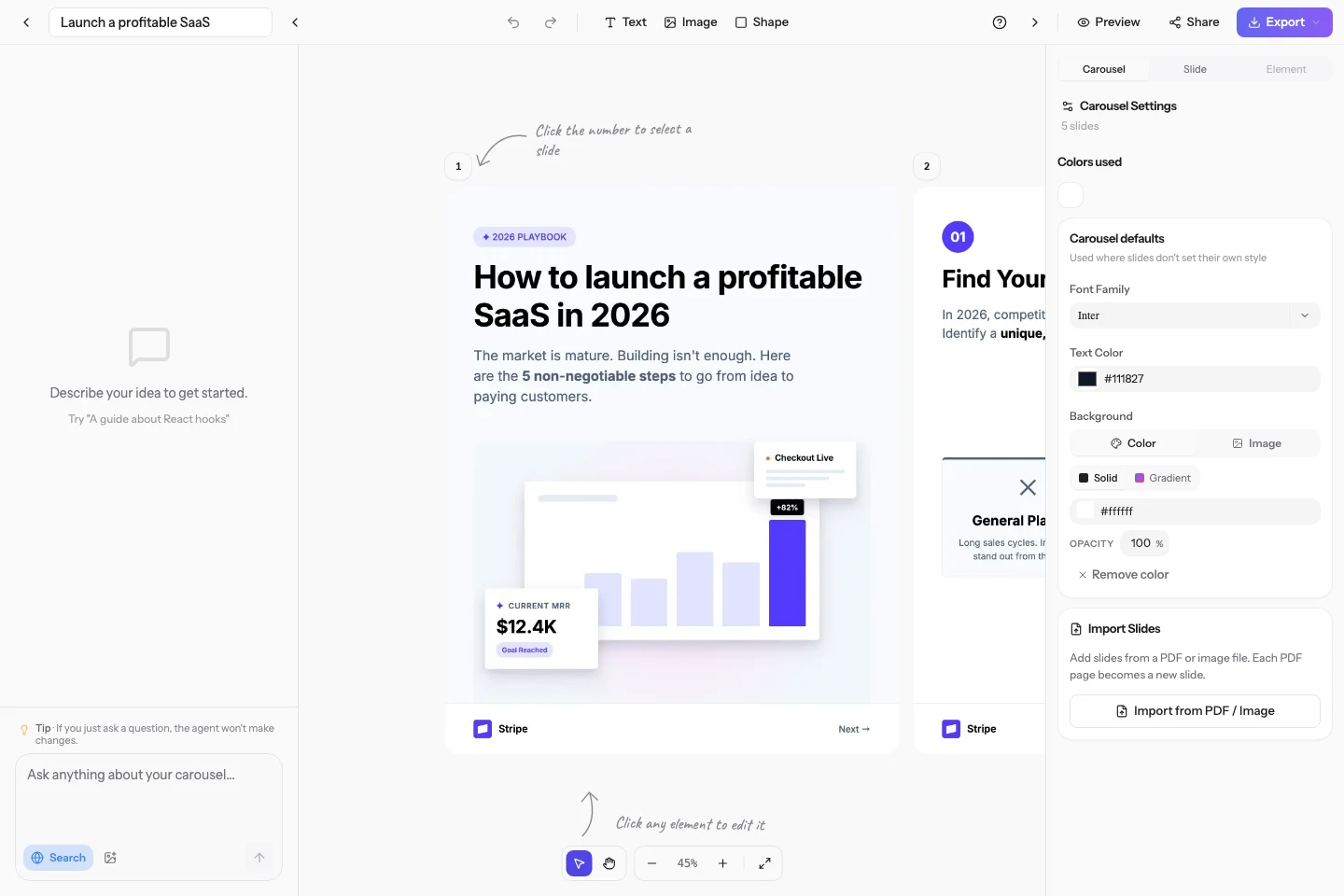
One prompt, a finished Instagram carousel. The AI writes the copy and designs every slide at 1080x1350, applies your brand, and publishes to Instagram or exports as images.
4.9 from 17 reviews986 carousels created522 creators10 free credits, no card needed
What is an Instagram carousel generator?
An Instagram carousel generator is a tool that turns a single idea into the multi-image post Instagram lets users swipe through. Carousels Generator is an AI carousel generator that writes the copy and designs the slides together, at 1080x1350 pixels, which is the portrait size that takes up the most room in the Instagram feed. You can edit any slide in the browser, apply a Brand Kit imported from your own website, then publish directly to Instagram with an AI-written caption or export the slides as images.
How to make an Instagram carousel
- 1
Describe the post you want, or paste a link, a caption draft or a set of notes to build from.
- 2
The AI writes the slide copy and designs the layout in the same pass, sized for the Instagram feed.
- 3
Adjust anything by chatting with it, apply your brand kit, then publish to Instagram or export the images.
Instagram carousel specs
| Slide size | 1080 x 1350 pixels, the portrait size that occupies the most feed space. |
|---|---|
| Aspect ratio | 4:5 portrait. Instagram also accepts 1:1 square, but carousels here are generated at 4:5, the format that takes up the most feed space. |
| Slide count | Instagram allows up to 20 images per carousel. 7 to 10 is the usual sweet spot. |
| Export format | PNG images, a PDF, or direct publishing to Instagram with an AI-generated caption. |
| Price | Free to start, no credit card. Paid plans add web search, no watermark and higher volume. |
Carousels Generator vs a template tool
| Capability | Carousels Generator | Template tools (Canva and similar) |
|---|---|---|
| Writes the slide copy for you | Yes, from a one-line prompt | Partly, an AI writing assistant, but you place the text slide by slide |
| Designs the slides for you | Yes, generated with the copy in one pass | Yes, but you pick and fill a template |
| Same brand on LinkedIn and Instagram | Yes, one Brand Kit drives both | Partly, through a brand kit on paid plans |
| Publishes straight to Instagram | Yes, on every plan including Free, with an AI-written caption | Yes, from its content planner |
Questions, answered
Is the Instagram carousel generator free?
Yes. Signing up gives you free credits with no credit card, enough to generate and export real carousels. Paid plans cover higher volume, web search grounding and removing the watermark.
What size should an Instagram carousel be?
1080 x 1350 pixels, a 4:5 portrait ratio, is the size that takes up the most vertical space in the feed. 1080 x 1080 square is also valid and keeps your profile grid tidy. Carousels here are generated at 1080 x 1350.
How many slides can an Instagram carousel have?
Instagram allows up to 20 images in a single carousel post. In practice 7 to 10 slides works best: long enough to develop an idea, short enough that people swipe to the end.
Can I use the same carousel on LinkedIn and Instagram?
Yes. Both platforms use the same 1080 x 1350 canvas here, so a carousel generated for one can be published to the other from the same editor, with a caption adapted per network. The Brand Kit stays the same across both.
Can I publish to Instagram directly?
Yes. Connect your Instagram account once and publish from the editor, caption included. Direct publishing is available on every plan, including Free, and costs credits rather than requiring an upgrade.
Keep going
Generate your first Instagram carousel
10 free credits at signup. No credit card required.