

30 Free LinkedIn Carousel Templates for 2026 (Ready in 2 Minutes)

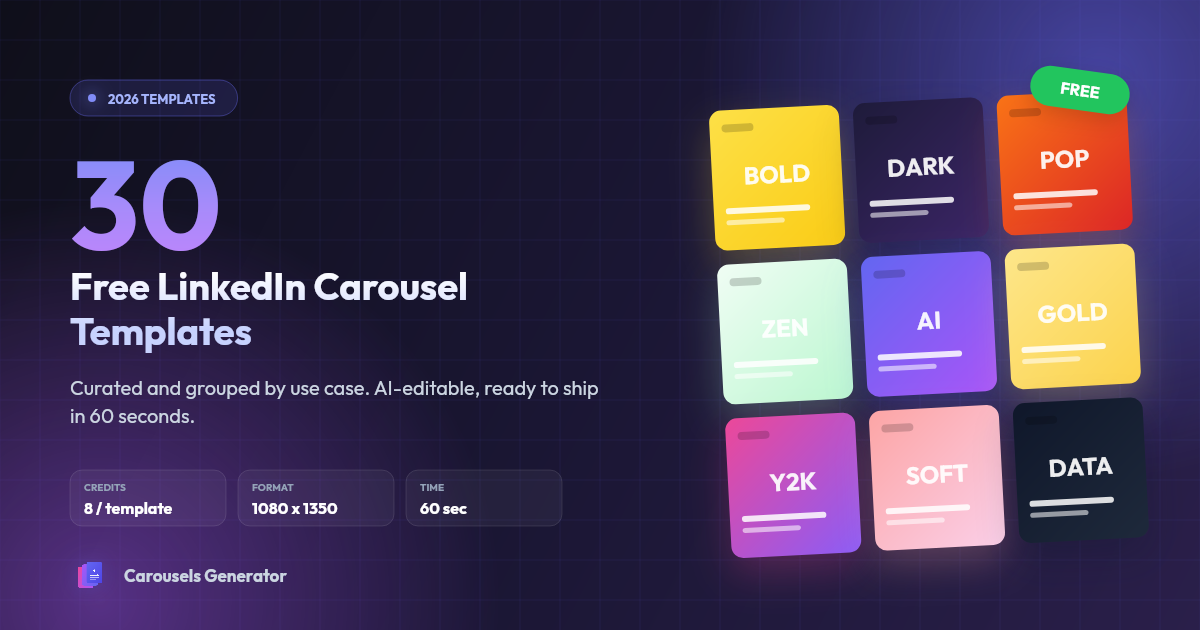
You can spend 45 minutes designing a LinkedIn carousel in Canva. Or you can pick a battle-tested template, swap the text, and ship it in 2 minutes.
LinkedIn carousels generate the highest engagement rate of any format on the platform in 2026 at 7.00% on average. But the design decisions (typography, layout, color palette, slide rhythm) take longer than the writing for most professionals. Templates kill that problem.
This article curates 30 free LinkedIn carousel templates from the Carousels Generator public marketplace, organized by use case and tested in production. Every template is AI-editable, exports in the native 1080x1350 PDF format, and is free to access on every plan including Free.
TL;DR
- 30 free templates, curated and grouped by use case
- All available at carousels-generator.com/templates
- Free to access on every plan, costs 8 credits to use (= the same as one fresh AI generation)
- AI-editable text and design through chat (1 credit per targeted edit)
- Exports in 1080x1350 PDF, ready to upload to LinkedIn
Why use a template instead of generating from scratch
A fresh AI generation costs the same 8 credits as a template, so why use one?
- Visual consistency across posts. Pick one template per content pillar (e.g., one for tutorials, one for hot takes, one for stats), reuse it. Your feed gains brand recognition over time.
- Faster iteration. You replace text, not design. 45 minutes of Canva work becomes 2 minutes.
- Proven patterns. The 30 templates below were curated for narrative arcs that perform on LinkedIn (strong hook on slide 1, one idea per slide, clear CTA on the last slide).
- No design skill required. Templates lock in typography hierarchy, color contrast, and mobile-safe spacing so you cannot accidentally ship a carousel that breaks on mobile.
1. Bold statements and manifestos (4 templates)
For hot takes, contrarian opinions, manifesto-style declarations. High-contrast, oversized type, scroll-stopping.
1. Brutalist Yellow - Myths & Truths
Raw brutalist layout for myth-busting posts and contrarian takes. High-contrast yellow-and-black palette, chunky condensed typography, tilted sticker-style cards, thick borders. By Nolann B.
2. Anti-Design Bold Statement
High-contrast retrospective template with oversized typography and orange/black color blocking. Built for build-in-public stories, milestone announcements, and bold opinion takes. By Martin Ramdane.
3. One Bold Statement Per Slide
Dramatic build-up template where each slide is one massive sentence. Maximum scroll-stopping impact, perfect for manifestos, hot takes, and emotional declarations. By Martin Ramdane.
4. Bold Manifesto - Entrepreneur Playbook
High-impact manifesto-style layout for entrepreneurial frameworks and bold opinion pieces. Crisp white background with crimson red accents, oversized condensed sans-serif headlines. By Nolann B.
2. Educational frameworks and step-by-step tutorials (4 templates)
For how-to posts, numbered frameworks, breakdowns. Optimized for skim-reading and high completion rates.
5. The 7-Step Framework
Step-by-step educational carousel that breaks a process into 7 numbered steps. Perfect for tutorials and methodologies. By Martin Ramdane.
6. Viral Hooks Playbook - Bold Framework Carousel
Bold framework template for viral playbooks, growth secrets, and step-by-step breakdowns. Heavy display headlines, monospace code-style frames, and orange accents on alternating dark and light slides. By Xavier VINCENT.
7. Bold Listicle - Mistakes & Tips Breakdown
High-contrast listicle template for tips, mistakes, and data-driven breakdowns. Heavy display typography, dot-grid background, red accent highlights and built-in chart visuals. Designed for B2B marketers. By Xavier VINCENT.
8. Playful Pop - Beginner Guide
Bold, playful pop-style layout for beginner guides, step-by-step tutorials, and educational content. Vibrant multi-color palette with chunky rounded sans-serif typography. By Nolann B.
3. Storytelling and founder content (4 templates)
For personal stories, lessons learned, vulnerability posts, milestones. Warm tone, narrative arc.
9. Storyteller
Tell a personal story that lands, from a vulnerable hook to the final lesson. Warm and intimate format, perfect for career pivots, honest failures, and transformation moments. By Martin Ramdane.
10. Founder's Journal - Lessons & Reflections
Warm journal-style layout for founder reflections and personal storytelling. Soft cream background with serif display headlines, monospace body text, and earthy olive-and-terracotta accents. By Nolann B.
11. Career Milestone Announcement
Announcement template for funding rounds, hires, anniversaries, product launches and personal milestones. Photo-driven, celebratory, narrative. By Martin Ramdane.
12. Bold Dossier - Founder & Creator Spotlight
Dark editorial dossier template for founder stories, creator profiles, and biography case studies. Bold yellow display type on textured black, magazine-style photo framing with file/report aesthetic. By Xavier VINCENT.
4. Data-driven and analytical (3 templates)
For stats, benchmarks, market analysis, data teardowns. Tech-forward aesthetic, charts and numerical emphasis.
13. Bloomberg-Style Data Teardown
Brutalist tech aesthetic for data-driven LinkedIn carousels. Black background, electric pink accent, mono typography for numbers, visible grid structure. Inspired by Bloomberg Terminal and Linear. By Martin Ramdane.
14. Editorial Whitepaper - Educational Deep-Dive
Minimalist editorial template for long-form educational content, frameworks, and deep-dives. Clean off-white layout with serif-meets-sans hierarchy, red accent highlights, and modular blocks. By Xavier VINCENT.
15. Confidential Brief - Timeline & Milestones
Classified-report design system for timelines, product launches, and milestone recaps. Pure black canvas, technical grid lines, and structured number blocks for chapters, phases, and key metrics. By Nolann B.
Have a carousel idea?
Start with 10 free credits.
5. Premium and authority (3 templates)
For thought leadership, executive content, high-ticket service positioning. Refined typography, luxury palette.
16. Black & Gold Premium - Authority Carousel
Luxurious dark-mode layout for premium thought leadership, executive content, and high-ticket service positioning. Deep black background with refined gold accents, elegant serif headlines. By Nolann B.
17. Editorial Luxury - Magazine Top 5
Editorial magazine layout for ranking the top 5 brands, creators, or icons in luxury, fashion, and lifestyle niches. Serif typography, cream and gold palette, photo-forward composition with prestige stamp. By Xavier VINCENT.
18. Soft Editorial - Lifestyle Method
Calm, premium editorial design for lifestyle tips, wellness routines, and personal-growth content. Cream canvas, navy-coral palette, refined serif typography paired with airy whitespace. By Nolann B.
6. Trendy and visual aesthetics (4 templates)
For aesthetic-driven content, trend reports, and posts where the visual is the message. Eye-catching, on-trend palettes.
19. Y2K Chrome Gradient
Bold retro-futuristic template channeling early 2000s aesthetics with chrome, holographic gradients and oversized industrial type. Scroll-stopping and on-trend. By Martin Ramdane.
20. Vibrant Gradient - Content Strategy
High-energy gradient layout for content strategy posts, engagement frameworks, and creator economy advice. Bold full-bleed gradient backgrounds shifting across slides (purple, blue, orange, green, red). By Nolann B.
21. Glassmorphism Tech - Trends & Insights
Modern glassmorphism layout for trend reports, industry insights, and B2B strategy breakdowns. Soft pastel gradients with frosted-glass cards, bold sans-serif headlines, and minimal accents. By Nolann B.
22. Risograph Indie Zine
Artisan template inspired by risograph printing. Dual-tone palette with intentional imperfections that signal craft and indie sensibility. By Martin Ramdane.
7. Top lists and rankings (3 templates)
For "Top X" carousels, influencer rankings, brand listings. Designed to make a list feel premium and authoritative.
23. Neon Sports Dossier - Profile Ranking with Quotes
Editorial sports dossier template for ranking athletes, creators, or industry figures with a magazine-style profile per slide. Black grid background with neon lime tape labels, full-bleed portrait photos. By Xavier VINCENT.
24. Top 5 influencers Brutalism
Top 5 influencers Brutalism with images. Brutalist photo-driven design built specifically for "top creators" or "rising voices" ranking carousels. By Martin Ramdane.
25. The AI Meta Brutalist
A bold, high-impact brutalist carousel designed to showcase the power of AI automation. Perfect for creators and agencies who want to demonstrate how one simple prompt can generate premium, high-converting content. By Martin Ramdane.
8. Calm, wellness and soft aesthetics (3 templates)
For coaches, wellness creators, female founders, lifestyle brands. Pastel palettes, soft typography.
26. Zen Botanical - Mindful Routines
Calm botanical layout for mindful routines, wellness frameworks, and slow-content reflections. Soft cream-and-sage palette with rounded organic shapes, leaf and plant illustrations. By Nolann B.
27. Cute Bubble - Copywriting Tips
Friendly speech-bubble layout for copywriting tips, content frameworks, and writing advice carousels. Soft pastel pages (pink, lavender, mint, peach, sky blue) with rounded comic-style speech bubbles. By Nolann B.
28. Soft Pastel (Coach / Wellness / Female Creator)
Calm pastel template with elegant serifs and soft shapes. Designed for coaches, wellness creators, women in business and lifestyle brands. Fills a major gap in the marketplace aesthetic. By Martin Ramdane.
9. Minimal and timeless (2 templates)
For when the message is everything and the design should disappear. Clean grids, no decoration.
29. Swiss Bauhaus Geometric
Bold geometric template using primary shapes and confident oversized typography. Timeless design that signals expertise. By Martin Ramdane.
30. Minimalist Mono - Creator Tips
Ultra-minimalist single-color layout for creator tips, simple frameworks, and one-idea-per-slide carousels. Pure white background with bold electric-blue oversized numerals, clean sans-serif typography. By Nolann B.
How to use one of these templates
Step-by-step, from picking a template to publishing on LinkedIn:
- Browse the public marketplace and pick a template that matches your content pillar
- Click "Use template". The template loads into your editor with placeholder text and you are charged 8 credits (same cost as a fresh AI generation)
- Replace the placeholder text in each slide. You can use the visual editor or the AI chat ("rewrite slide 1 about my recent product launch")
- Apply your Brand Kit in one click to swap fonts, colors, and logo to match your visual identity
- Refine via AI chat if needed. Targeted edits cost 1 credit per change, a global restyle costs 3 credits
- Export as PDF (1080x1350, ready for LinkedIn) or use Direct Publishing to push the carousel to LinkedIn with an AI-generated caption (3 credits)
Total time from picking a template to a published LinkedIn post: about 5 minutes.
Want to publish your own template?
Every signed-in user can submit a template to the marketplace. The flow:
- Design a carousel you would reuse across multiple posts
- Click "Save as template" in the editor
- Add a name, description, and submit for admin review
- Once approved, your template appears in the public marketplace under your creator profile
- You earn 1 credit every time a user from a different organization generates a carousel from your template
There is no cap on how many credits you can earn. Popular templates generate passive credit revenue every month.
If you prefer to keep a template internal to your team (e.g., a brand-locked layout), use the private team templates feature instead. Private templates skip admin review, never appear in the public marketplace or sitemaps, and are visible only to your organization members.
FAQ
Stop designing from scratch
30 ready-to-use LinkedIn carousel templates, free to access, 2 minutes to customize, exported in the optimal 1080x1350 PDF format.
The slowest part of LinkedIn carousel creation is the design. Templates remove it. Pick one that matches your content pillar, swap the text, ship.
Browse all 50+ templates or start free with 10 credits (no credit card required).
Make your next carousel
Pick a topic. We’ll help with the text and design.
10 credits included · No credit card required
Popular LinkedIn carousel templates
Reuse in one click on your own topic. AI rewrites the text, keeps the design.